AI Detector and Humanizer: Why You Need Both in Your Workflow

Photo by macrovector_official @ magnific
Picture the last stop on a content assembly line. Two people stand there. One holds a thermometer and takes the temperature of every draft that rolls past. The other holds a red pen and rewrites whatever comes back too hot. Neither one is much use alone. A thermometer can tell you something is wrong but can't fix it. A red pen used without a reading is just guessing.
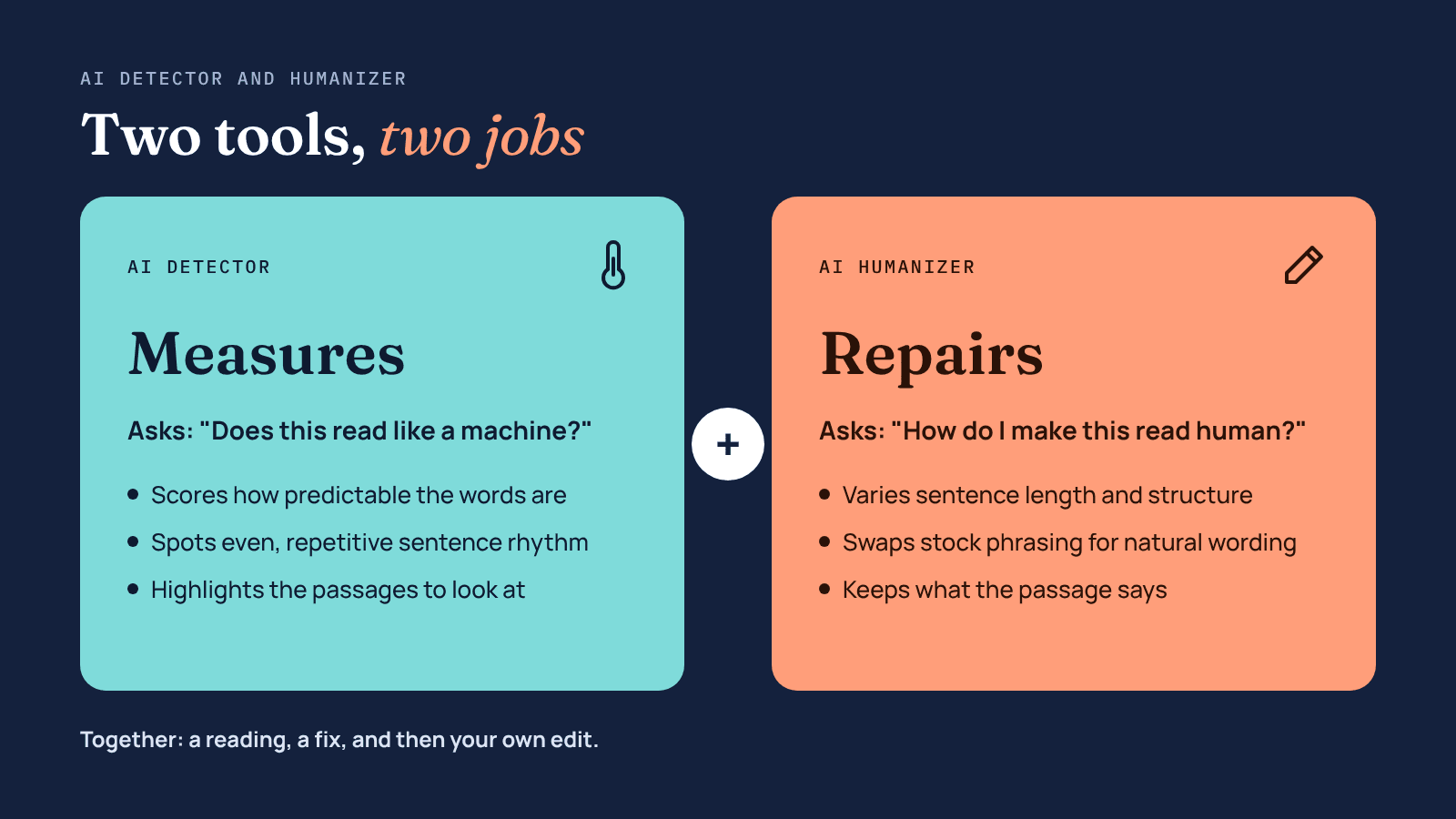
That's the simplest way to think about an AI detector and humanizer. One measures. The other repairs. Most writers who use AI pick up one tool or the other, then wonder why their drafts still sound flat, or why a client's checker still flags a piece they spent an hour polishing. This article explains what each tool actually does, why pairing an AI detector with a humanizer works better than either alone, and how to fit both into a workflow that ends with a human reading the page.
The Thermometer and the Red Pen
An AI detector doesn't read your writing the way a person does. It looks for statistical fingerprints. AI models tend to pick the most likely next word, so their text is predictable, and they tend to write sentences of similar length and shape. Detectors score how predictable your words are and how much your sentence rhythm varies, then turn those scores into a probability. For a longer version, this explainer on how AI detectors work covers perplexity, burstiness, and why different detectors disagree.
An AI humanizer works on the same signals from the other side. It rewrites sentence structure, varies length, swaps stock transitions for natural ones, and breaks up the even rhythm that machine text falls into. A good one changes how a passage reads while keeping what it says.
 Read more: How AI Humanizers Are Transforming the Way We Write
What Goes Wrong When You Only Use One
The detector-only writer gets a score and a highlighted paragraph, and then sits there with no clear next step. Rewriting by hand works, but on a 2,000-word draft it eats the time AI was supposed to save. Many people end up tweaking a few words, re-running the check, and repeating that until the number moves. That's slow, and it rarely improves the writing.
The humanizer-only writer has the opposite problem. They run every draft through an AI humanizer and hope it's enough. Sometimes it is. Sometimes the output still carries the stiff patterns of the original, or the tool has gone too far and bent a fact. Without a check, there's no way to know which happened.
Marketers are already moving toward more checking, not less. In Ahrefs' 2026 survey of AI-using marketers, 89% said they manually check AI-generated content, up from 80% a year earlier, and 29% now use an AI system to assess AI-written material, roughly double the year before. An AI detector and humanizer used together is a natural extension of that habit: a fast first check, a fast first fix, and then the manual review people are already doing.
A Detector Gives You a Reading, Not a Verdict
Here's the part that trips people up. AI detectors make mistakes, and they make them in both directions.
Surfer ran an experiment with 100 human-written samples through a single popular detector and found that it labelled 28 of them as AI-generated. In the same article, a single human-written blog section scored 99% human in one tool and over 50% AI in another.
Mixed drafts, where a person and a model each wrote part, are the hardest case of all. When Ahrefs compared eight detectors on human, AI, and hybrid articles, every tool struggled most with the hybrids. That's exactly the kind of content most marketers now produce.
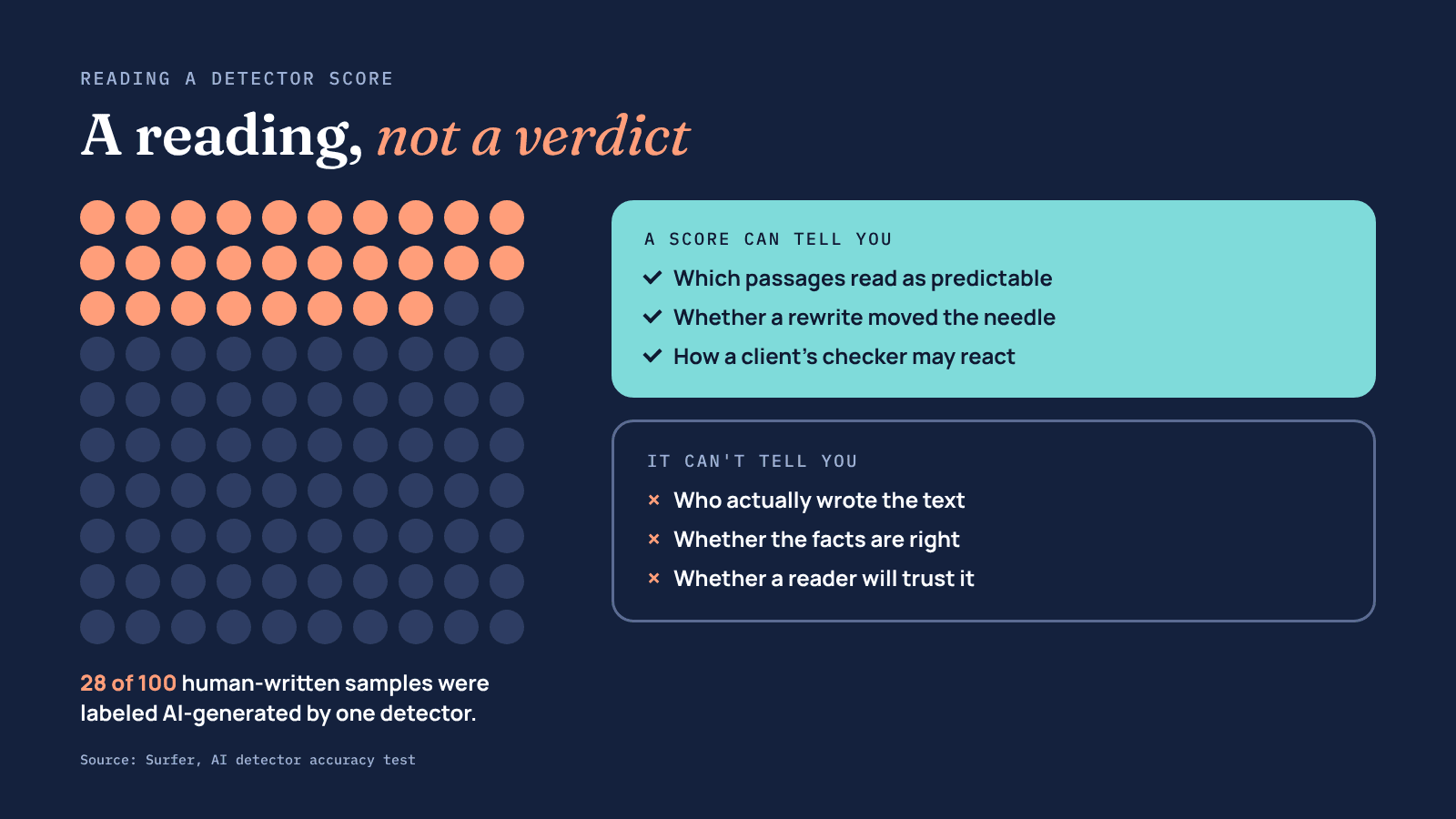
So treat a detector score like a thermometer reading. It's useful information, not a final ruling. A few habits make it more reliable:
- Check with at least two detectors. If they disagree sharply, the text is probably borderline, and a human read matters more than either number.
- Look at which sentences get highlighted as well as the overall score. Those lines usually share a pattern you can fix.
- Run the same detector your editor, client, or publisher uses, if you know which one it is.
The Loop: Check, Fix, Recheck, Read
The best way to use an AI detector and humanizer is a short loop with a person at the end, rather than a single pass through each tool.
1. Get the draft right first.
Fix the structure, the argument, and the facts before you touch either tool. A humanizer polishes how a piece reads. It can't rescue a weak outline, and every big edit you make afterwards undoes some of its work.
2. Take a baseline reading.
Run the draft through an AI detector and note the score and the flagged passages. You can use a free tool like the UnAIMyText AI detector for this, alongside one other detector for a second opinion.
3. Humanize the flagged sections, not the whole thing.
If only three paragraphs read as machine-made, rewrite those three. Running an entire article through an AI humanizer when most of it is fine adds risk without adding much value. A tool like UnAIMyText works well here because you can paste one section at a time and compare it to the original.
4. Recheck once.
Run the humanized sections back through the detector. If the score improved and the meaning held, move on. If not, edit that section by hand rather than humanizing it again. Repeated passes tend to drift further from what you meant.
5. Read it like a reader. This is the step no tool replaces. Read the full piece out loud if you can. Check every number, name, and quote against your notes. Add the example, opinion, or result that only you could have written.
The whole loop adds maybe ten to fifteen minutes to a typical blog post. That's a lot less time than rewriting by hand, and a lot less risk than publishing blind.
Three Writers, One Workflow
The same AI detector and humanizer loop looks a little different depending on who's using it.
The content marketer publishes four posts a week with AI help. She runs each draft through a detector before editing, mostly to find the paragraphs that sound generic. Those go through an AI humanizer and then get rewritten with a customer quote or a product screenshot. She cares less about a perfect score than about a post that doesn't read like everyone else's.
The freelance writer works for a client who checks every submission with an AI detector. He uses AI for research and outlines, writes most of the draft himself, and runs a final check before sending. When a section he wrote by hand gets flagged anyway, he uses an AI humanizer on that passage, reads it, and adjusts the rhythm until it sounds like him again. For him, the detector is insurance against an awkward conversation.
The student writes her own essays but has heard about classmates being wrongly flagged. She runs her finished work through a detector to see how it reads, and if a paragraph scores high, she revises it herself, keeping her drafts and notes as proof of her process. A humanizer should never be used to pass off AI-written work where a course doesn't allow AI. Used honestly, though, an AI detector is a useful self-check before submission.
Supplementary reading: Are You Leading AI or is AI Leading You?
Signs Your Combo Isn't Working
Even with both tools, things can go sideways. Watch for these:
- Your text keeps getting longer. Some AI humanizer tools pad output. If a 500-word section comes back at 650, trim it.
- Facts are shifting. Numbers are rounded, qualifiers like "most" or "may" are dropped, and technical terms are swapped for near-synonyms. Always compare against your original.
- You're chasing a number. If you've run the same paragraph through the loop three times, stop and rewrite it yourself.
- Every piece sounds the same. If all your posts share one rhythm after humanizing, you've swapped AI's voice for the tool's voice. Your own edit has to bring yours back.
The Reader Is the Real Detector
It's easy to treat this whole process as a contest with software. But the people who matter most never see a detector score. They just read your page and decide whether to trust it.
That trust is fragile. Raptive's research found that when readers suspect content is AI-generated, they rate it nearly 50% less trustworthy, whether or not AI was involved. That's the real reason to use an AI detector and humanizer together. A detector catches the patterns readers sense without being able to name. A humanizer smooths them out. Your own edit adds the substance that makes the page worth reading in the first place.
The Short Version
An AI detector tells you where your writing sounds machine-made. An AI humanizer helps you fix those spots fast. Neither is accurate or complete enough to trust alone, and neither replaces a careful human read. Use them as a pair in a short loop: check, fix the flagged parts, check again, then read the whole thing as your audience will. That's the AI detector and humanizer workflow in one line, and it holds up whether you're publishing one post a month or twenty.


Business
Tags: Artificial Intelligence, Alignment & Clarity, Abundance Mindset, Brain Bulletin, Business Management, Data, Digital, Consultant Corner

Seher is a Content Writer and Outreach Specialist with over 3 years of experience in digital marketing. She specializes in creating engaging, informative, and SEO-friendly content that connects with readers while helping businesses strengthen their online presence. Her interests include SEO and content marketing.